Skip to content

How to change the app language

Updated

Short answer

Click your name, at the bottom of the menu, open Language and choose Português, English or Español. You can also change it on the Preferences tab of your Profile. The app language doesn't change the transcription language: the speech is still recognized in the language it was recorded in.

Step by step

  1. Step 1: Open the account menu

    Click your name, at the bottom of the menu, and open Language. Choose the language.
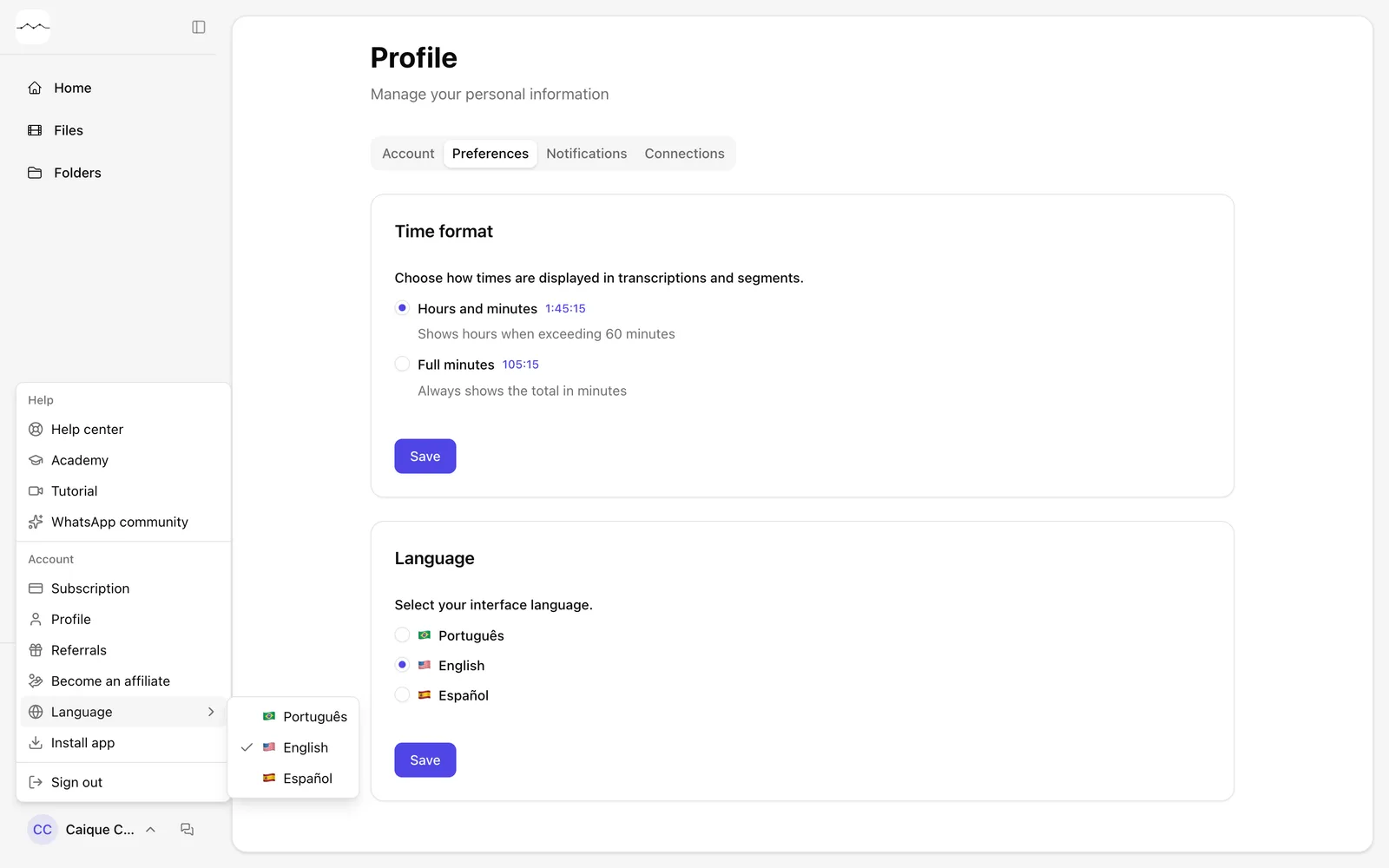
    The account menu, with Language open.
    App screenshot The account menu, with Language open.
  2. Step 2: Or use Preferences

    On the Preferences tab of your Profile, choose the language in Language and click Save.
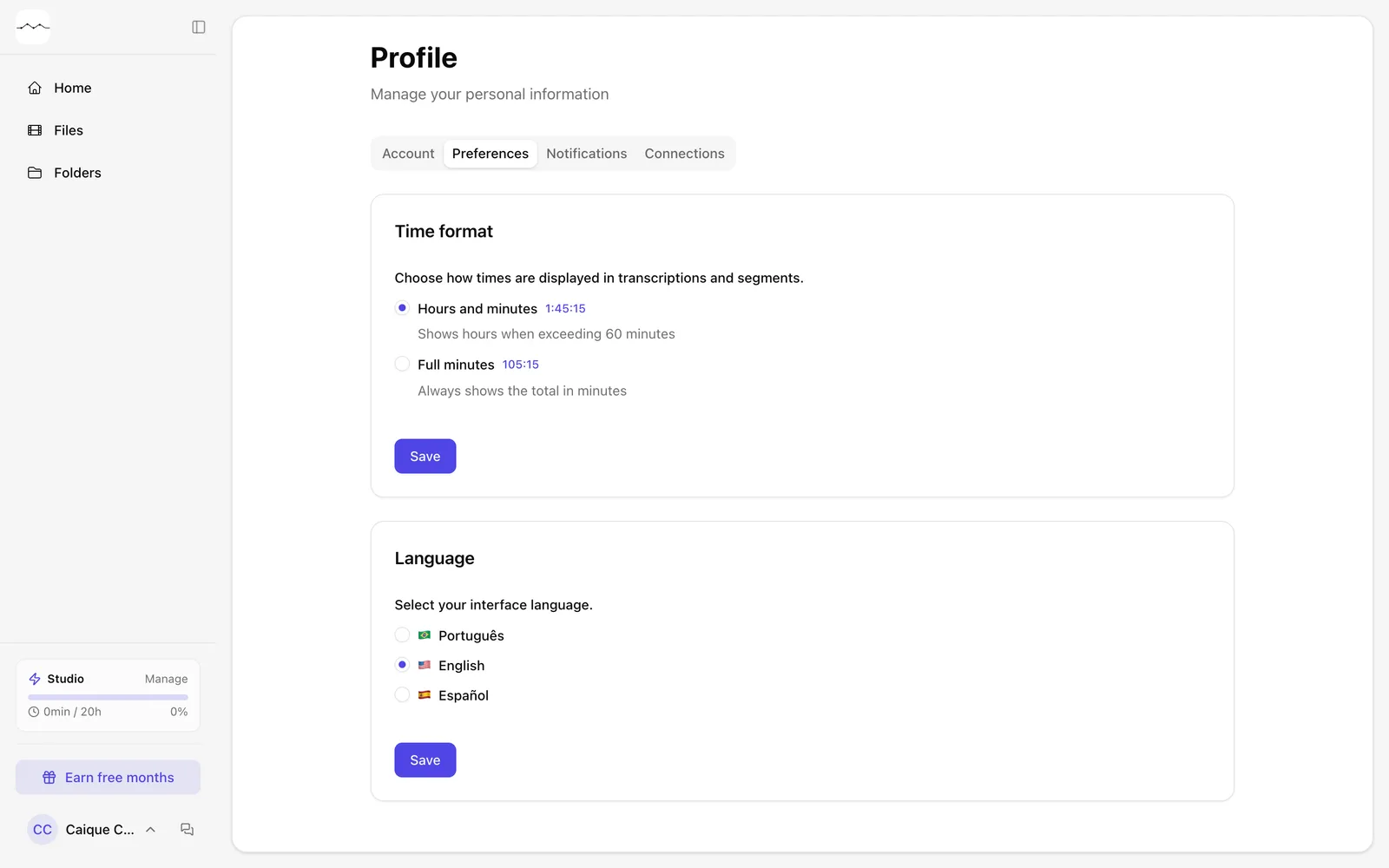
    The Preferences tab of the Profile.
    App screenshot The Preferences tab of the Profile.

Frequently asked questions

Which languages does the app have?

Portuguese, English and Spanish.

Does changing the language change the transcript?

No. The transcript stays in the language of the speech. For another language, use translation.

Which language does FilmScribe open in?

In the language of your country and your phone: in Brazil, always Portuguese; elsewhere, your phone's language if it is Portuguese, English or Spanish, and otherwise your country's. The language picked on the site also applies in the app, and the one picked in the app is saved to your account and then applies on the site too. Before you sign in, the language button is at the top of the sign in and sign up screens.

What else is in Preferences?

The time format: hours and minutes or full minutes.

Still need help?

Talk to us. We answer on WhatsApp and by email.

Your next story is already waiting.

Upload a file or paste a YouTube link and see the transcript, chapters and clips from your own recording.